01 / THE FRAMEWORK
Your template
Draft an email to [audience] about [topic]. Use a [tone] tone, keep it under 150 words, and end with one clear next step. promptform
 English
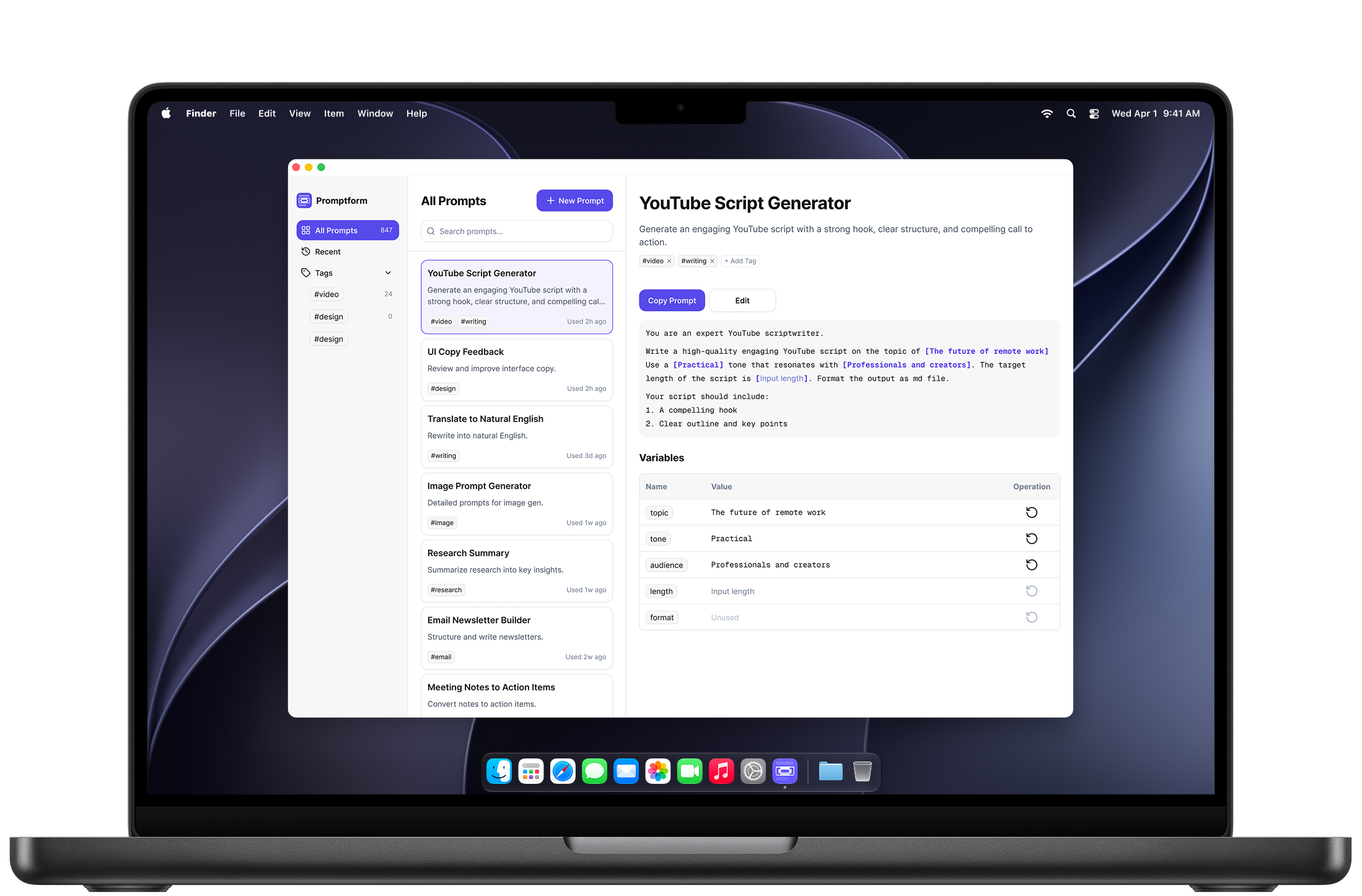
Your personal prompt library for Mac
Press ⇧⌘Space to find a saved prompt, fill in the details, and copy it into your AI tool.
Made for your everyday
Keep the prompts that work. Make them ready for whatever comes next.
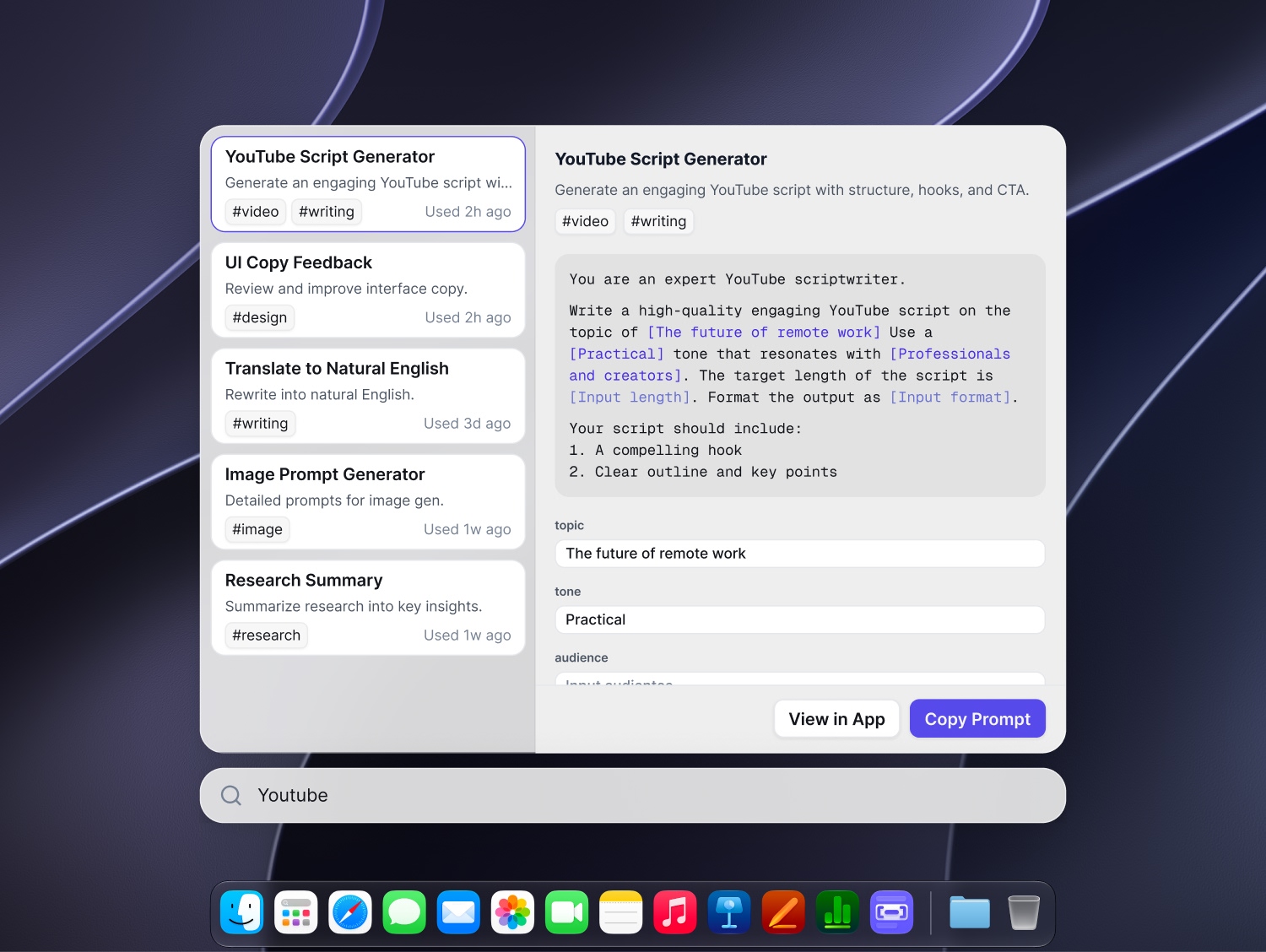
Quick launcher
Press ⇧⌘Space from your Mac. Search your saved templates, fill in what changes, and copy the finished prompt into your AI tool.
Your prompt library
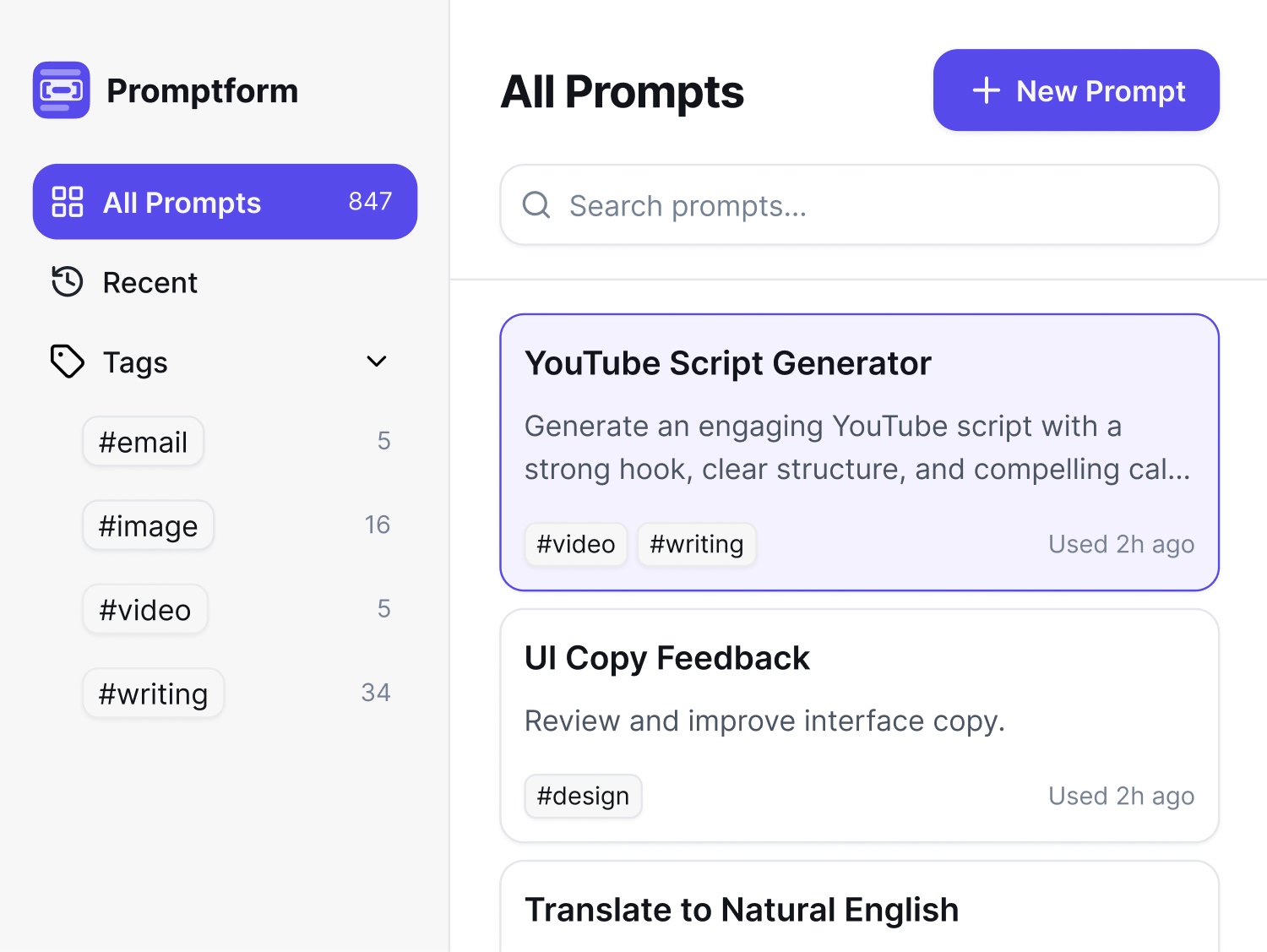
Give your prompts a home. Organize templates with tags, find them with search, and use variables for the details that change.
Your template, its fields, and the finished prompt—all together.
How it works
Save a useful prompt as a reusable template once. Then use the quick launcher whenever you need it.
Open the quick launcher with ⇧⌘Space and search your saved templates.
Enter what changes for this task. Your template keeps the structure.
Copy the finished prompt and paste it into your AI tool.
Same framework. Fresh context.
01 / THE FRAMEWORK
Draft an email to [audience] about [topic]. Use a [tone] tone, keep it under 150 words, and end with one clear next step.02 / THE FINISHED PROMPT
Draft an email to the design team about Friday’s review. Use a friendly tone, keep it under 150 words, and end with one clear next step.
Subscription example · 3 variables. Promptform prepares your prompts; your AI tool generates the responses.
A library of your own
Room for your best ideas
Keep 2 prompts with 1 variable each for free. Unlock unlimited prompts and variables with a monthly or yearly subscription.
A place to start
$0
Keep your go-to prompts ready.
Flexible access
$2.99 / month
Unlimited prompts and variables.
Save 58% versus monthly
$14.99 / year
Unlimited prompts and variables.
USD reference prices. Annual savings compare $14.99/year with 12 monthly payments of $2.99. Localized prices, taxes, and offers at Apple checkout apply. Yearly plans are billed annually.
A few useful details
Press Shift–Command–Space (⇧⌘Space) to open the quick launcher. Search your saved templates, fill in the details, and copy the finished prompt to paste into your AI tool.
No. Promptform saves and prepares prompts. Paste the finished text into your AI tool to generate a response.
Any AI tool that accepts pasted text. Promptform works through copy and paste, with no direct integration required.
Open the Promptform menu in the library sidebar and choose Manage Subscription to open Apple’s subscription management, or manage your subscription through your Apple Account. Apple shows when a cancellation or plan change takes effect. Deleting the app does not cancel your subscription. Apple’s cancellation instructions.
Your library is kept on your Mac. The two oldest remaining prompts stay usable with one variable each; extra prompts and variables are locked. You can still export or explicitly delete every saved prompt. JSON import requires an active subscription. Subscribe again to unlock your saved library.
Your library is stored locally on your Mac, with no built-in cloud sync. Open the Promptform menu in the library sidebar and choose Export Prompts As to export all saved prompts as text, CSV, Markdown, or JSON, even without a subscription. JSON preserves saved prompt records for re-import. With an active subscription, choose Import Prompts… from the same menu to add prompts from a JSON file; duplicates can be skipped or imported as new copies. Import does not replace your library. Text, CSV, and Markdown exports cannot be imported. Keep your own backups. Read the Privacy Policy.
Promptform requires macOS 14 or later.
Sign in to the App Store with the Apple Account used for your purchase, then open the Promptform menu in the library sidebar, choose View Plans, and select Restore on the subscription screen. For help, email [email protected]. Apple handles billing and refund requests.
Promptform for Mac
Start free · macOS 14+